 AiX User Guides
Appearance
Edge/AiX Setup
Step 1 - Select an Authorization Channel
a. Select either access portal
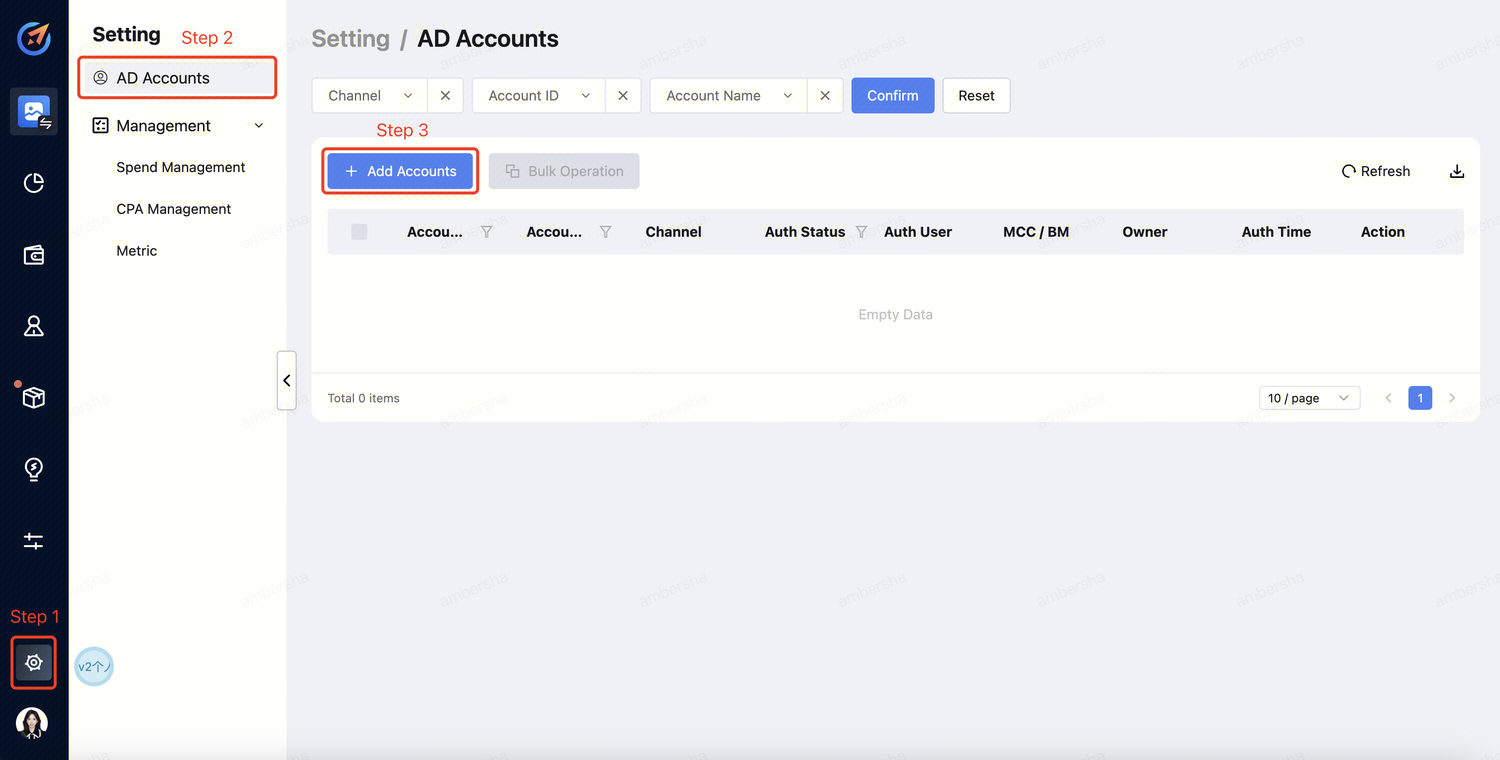
Click "Setting" --> "AD Accounts" --> "Add Accounts" .
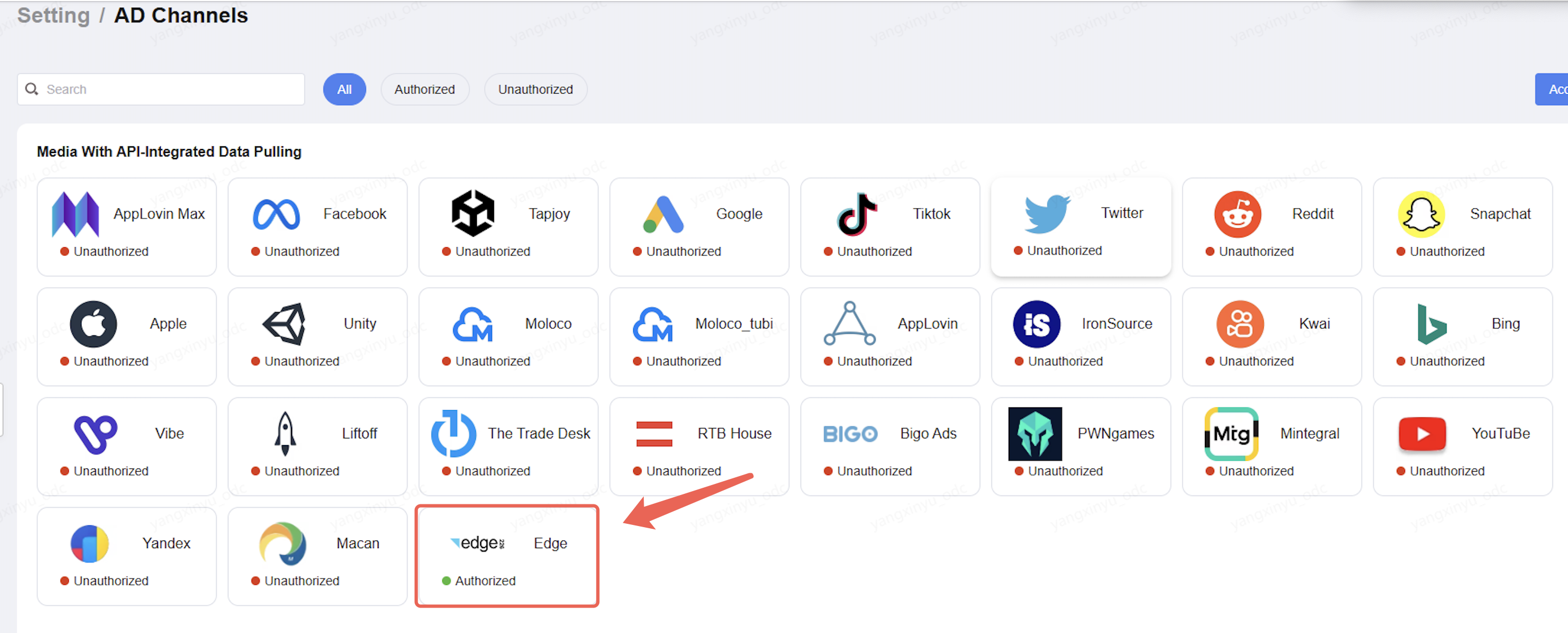
Click "Setting" -->"AD Channels" --> "Select the Media".
Step 2 - Account Login
a. Select the channel and click "Sign in". 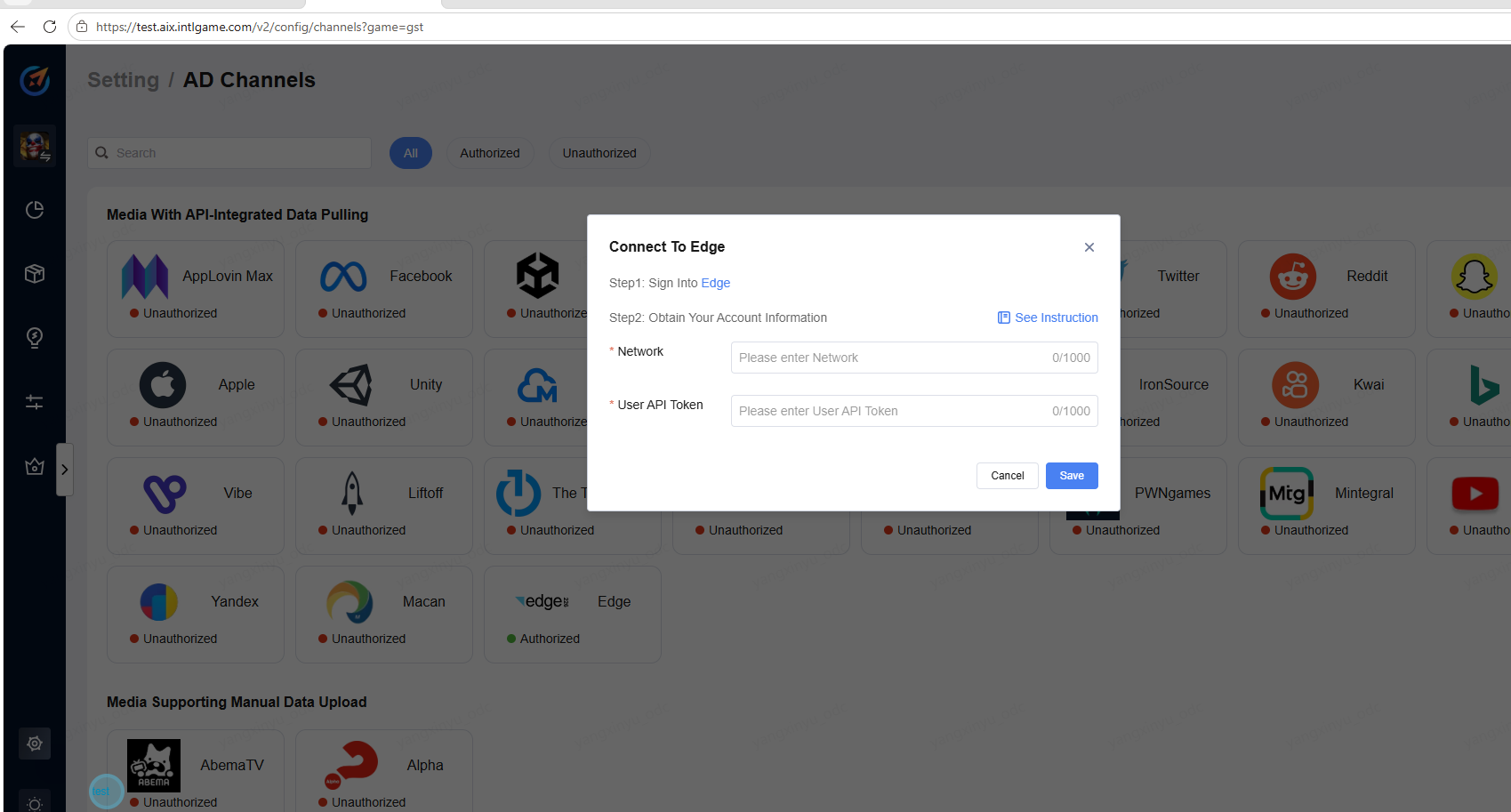
b. Log in to your account. 
Step 3 - Obtain Token
a. Generating an Authentication Token You can generate the authentication token using the UI.
1.Click on Profile Settings, or Click to view as shown below 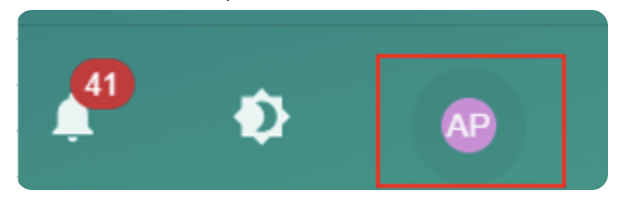
2.Or open https://[network_name].peak226.com/#/!/profile
3.In the profile settings page, copy the provided authentication token
Step 4 - Obtain Network name
You may view directly on the login page.
Step 5 - Account Info providing to AiX
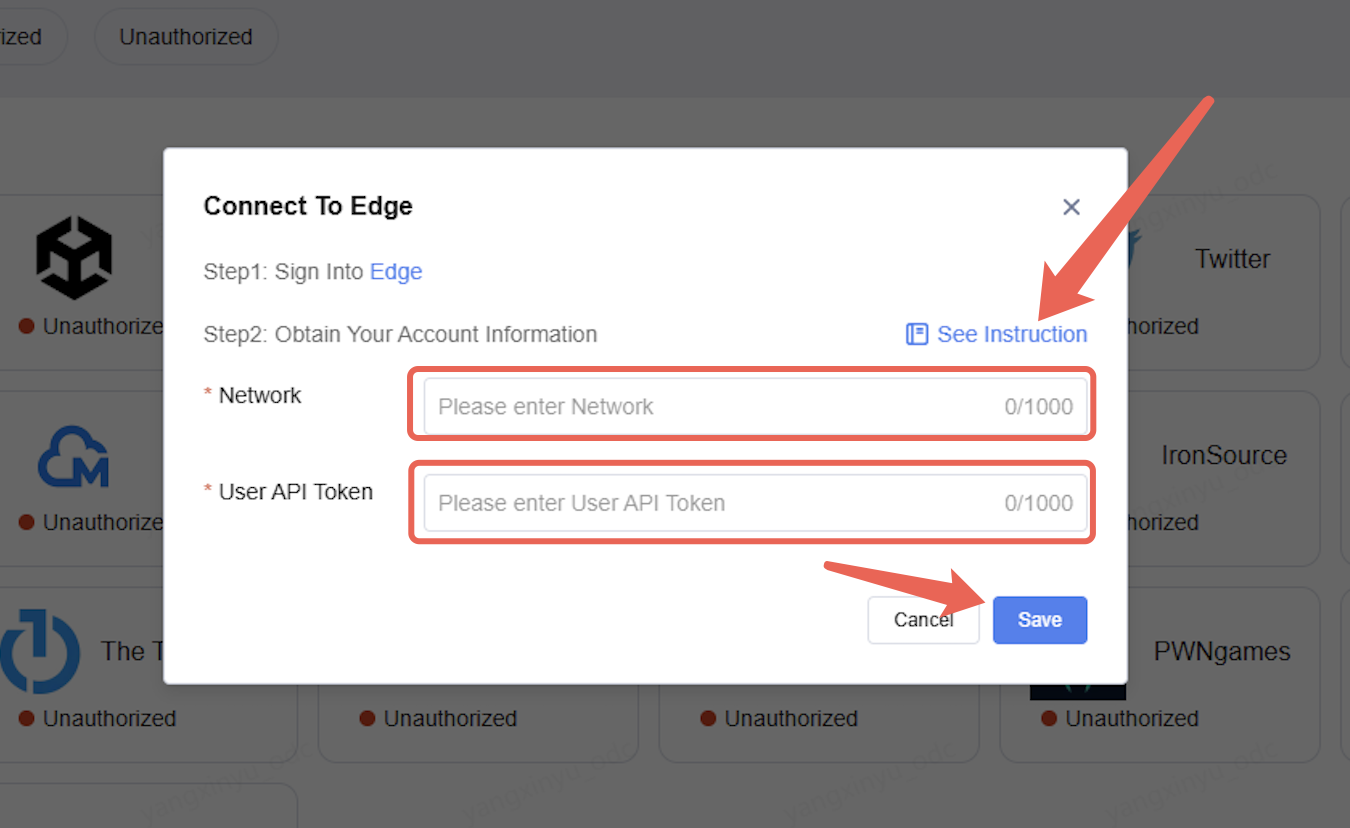
Enter the Network name and Token,Finally, click Save.